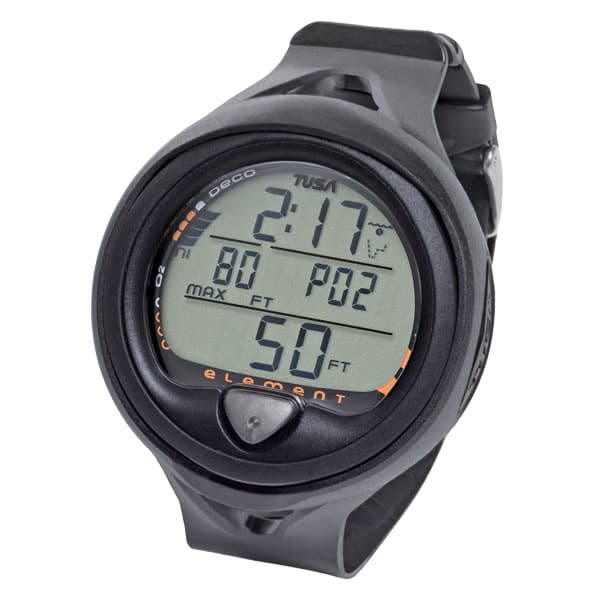
IQ-650 ELEMENT
Уточним доступный размер, комплектацию и срок доставки перед заказом.
Ask on WhatsAppDescription
The Element is an easy-to-use, single button, puck-style computer offering a myriad of dive data details plus some new features including a Deep Stop function all in an affordable package. The Element is available in a wrist or console version.
Deep Stop Function
Several TUSA computers feature a deep stop function for additional safety. The deep stop mode is activated when a dive exceeds 80 FT (24M) for more than 1 second. Upon ascent, the computer will display a Deep Safety Stop screen and the recommended stop depth for a period of 2 minutes. This deep stop is highly recommended as additional opportunity to off-gas, but is not mandatory. If the diver chooses not to serve the stop it will not adversely affect the remaining No-Decompression Limits of the dive.
- Single button puck-style module in wrist boot
- Air and Nitrox (21-50%) Operating Modes
- Manual or Water-Activation
- Deep Stop Feature and standard Safety Stop
- Automatic altitude adjustment from sea level to 14,000′
- No fly icon, residual nitrogen discharge time display
- Dive Log stores a maximum of 12 dives
- User-replaceable battery with hot-swap (Battery: CR2450, 3V)
- TUSA Algorithm based on Buhlmann ZHL-16c
- Variable Ascent Rate Indicator
- Rental unit reset option
You may also like
Reviews (0)
No reviews yet — be the first to share your experience.