Oceanic TankTamer Band
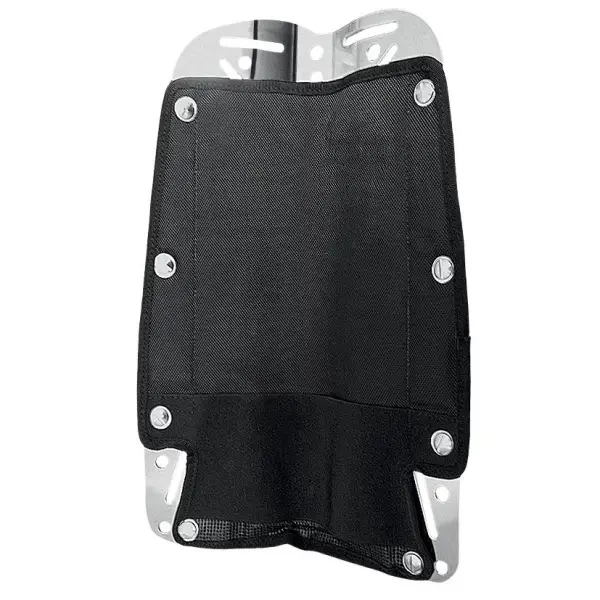
Oceanic TankTamer Band – Secure, Quick-Release Stability A stainless steel quick-release tank band that keeps your cylinder secure and stable. Designed for easy tank changes, improved trim, and reliable performance in demanding diving conditions.
주문 전에 사이즈, 구성 및 배송 시간을 확인해 드립니다.
WhatsApp으로 문의상품 설명
Oceanic TankTamer Band – Stainless Steel Quick-Release Stability System
The Oceanic TankTamer Band is a premium stainless steel tank band designed to deliver maximum stability, security, and convenience during every dive. Built with a robust quick-release mechanism, it allows for fast and effortless tank changes between dives—saving time on the surface while ensuring a solid, dependable connection underwater.
Engineered specifically for the modular Photon BCD system, the TankTamer keeps your cylinder tightly secured to your body, reducing unwanted movement and improving overall trim and balance in the water. Its durable stainless steel construction offers excellent resistance to corrosion, making it ideal for repeated use in harsh saltwater environments.
The quick-adjust design also allows seamless transitions between different tank types, including steel and aluminum cylinders, without the need for complicated adjustments.
Standard on Photon Pro models and available as an upgrade for Photon Air, the TankTamer Band enhances both performance and convenience. Whether you’re diving locally or traveling, it provides a secure, streamlined setup that improves comfort, efficiency, and confidence on every dive.
You may also like

Reviews (0)
No reviews yet — be the first to share your experience.